
Trezor vs Ledger
Safe 7 or Nano Gen5? The differences, without the noise.
Where each one has the edge.
Advantage in this criterion| Five things that matter.No overall security score. | 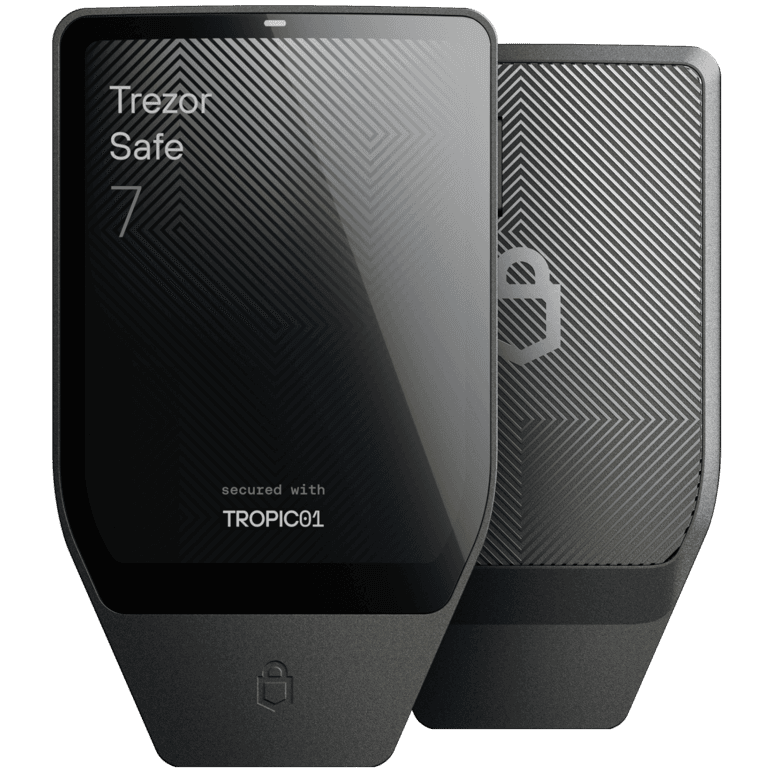 TrezorSafe 7View Safe 7 TrezorSafe 7View Safe 7 | 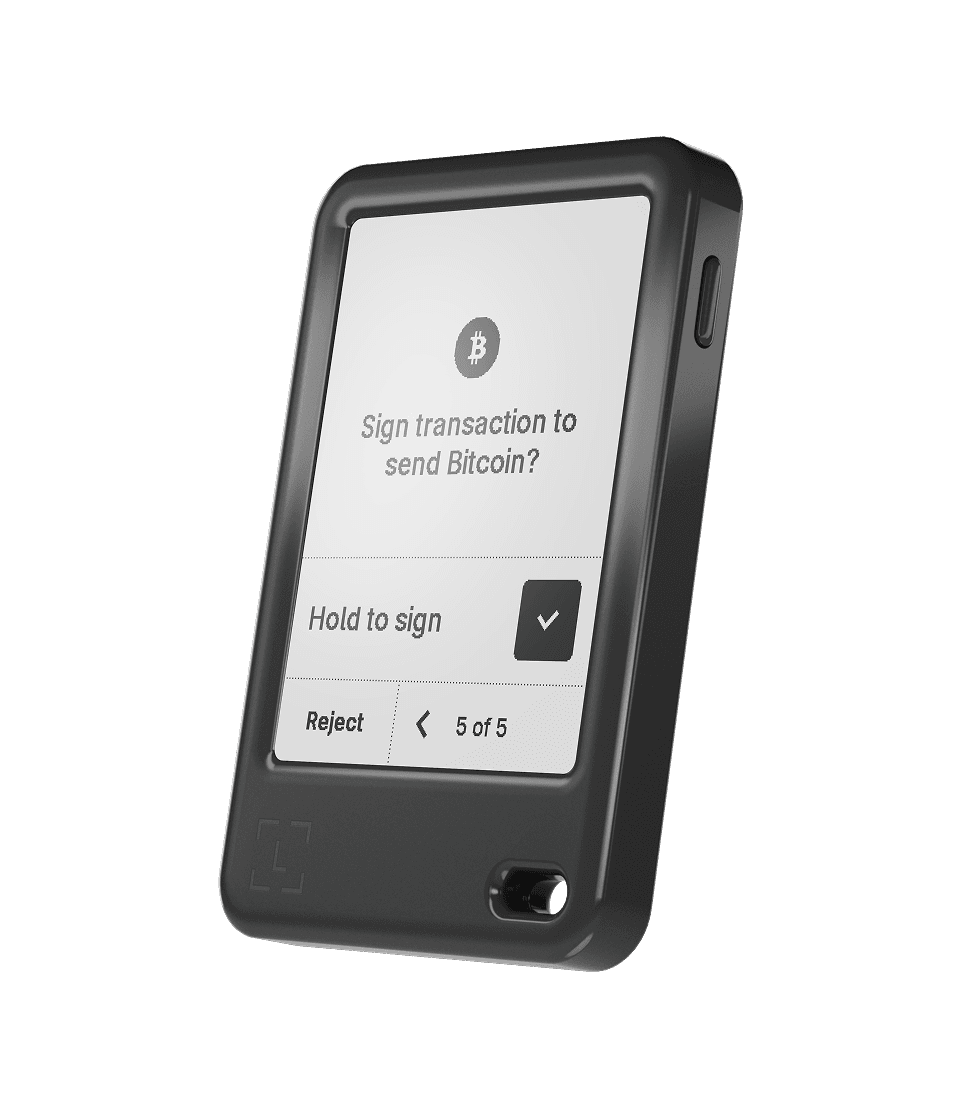 LedgerNano Gen5View Nano Gen5Amazon US (paid) LedgerNano Gen5View Nano Gen5Amazon US (paid) |
|---|---|---|
| Code opennessWhat can be inspected | Broader public codeMore reviewable | Apps public; OS restricted |
Code openness: what this means for youTrust: what open code actually changesTransparency changes what outsiders can inspect, not whether mistakes are impossible. A hardware wallet asks you to trust its firmware, physical components and update process. Public source code allows outside researchers to examine how software is intended to work. Safe 7 makes reviewability a central design choice, including its auditable TROPIC01 component. This is useful if you value scrutiny beyond the manufacturer's own assurances. Ledger publishes application code, but its operating system is not fully public. That is a different trust boundary: you can inspect some parts directly, while relying on the vendor and its stated audit process for others. Restricted code is not, by itself, proof that a device is unsafe; public code is not proof that a particular shipped device matches the reviewed build. The buying implicationIf public reviewability is a priority, Safe 7 has the clearer advantage in this criterion. Still inspect the update process and security disclosures. If you prefer Ledger's workflow, make the restricted operating-system boundary a conscious choice rather than something discovered after purchase. | ||
| DisplaySize and screen type | 2.5" color | 2.8" monochrome E InkLarger diagonal |
Display: what this means for youDisplay: more space is not the same as safer signingThe useful screen is the one on which you can recognize the action you are approving. Nano Gen5 offers a larger diagonal with a monochrome E Ink screen; Safe 7 uses a smaller color touchscreen. The table marks the size advantage, not an independently tested winner for readability, refresh speed or comfort. Screen type is a preference that specifications alone cannot settle. For an ordinary transfer, the meaningful check is whether the destination, amount and network are what you intended. For a contract interaction, ask what permission or action the request creates. A larger display cannot make an undecoded request understandable. Ledger itself warns that third-party transactions can be hard to interpret and that a signing device cannot prevent every user mistake. The buying implicationInspect the exact signing flow for your wallet app and transaction type. An asset being supported does not establish that every action is clearly explained. Do not treat a familiar logo or a larger screen as permission to approve a request you cannot identify. | ||
| BackupTwo different approaches | SLIP39 words / sharesConfigurable multi-share backup | 24 words + offline cardPIN-protected Recovery Key |
Backup: what this means for youBackup: plan for losing the deviceA good backup is one you can restore, not merely one you have written down. SLIP39 sharesChosen threshold Recovery KeyOffline card + PIN Ledger RecoverProviders + identity Safe 7 defaults to a 20-word SLIP39 backup. Its supported alternatives include multi-share backup and BIP39 formats. SLIP39 and BIP39 are different standards: a word count alone does not establish compatibility. A multi-share plan uses complete, specially generated shares and a chosen recovery threshold. It is not a normal word list cut into pieces. The practical benefit of multiple shares is that your plan can tolerate specified losses without placing a complete backup in every location. The trade-off is administration: compatible recovery, enough surviving shares and a plan someone can actually follow. A more elaborate setup is not automatically better for a person who will forget where the shares are. Ledger's 24-word phrase remains the foundational backup. Its Recovery Key is a separate, offline, PIN-protected card for use with compatible devices; it complements the phrase rather than making it disposable. Nano Gen5's product page lists a Recovery Key in the package. Confirm the exact model and current compatibility instead of assuming every Ledger supports the card. Ledger Recover is different again: an optional identity-based subscription using encrypted backup fragments held by providers. This changes the recovery dependencies and trust model. It is not the offline card. Decide whether you want physical self-managed backup, that additional service, or neither before activating an option. The buying implicationRehearse recovery with a tiny, non-critical balance on a compatible path before meaningful funding. Keep the exact backup format and any additional passphrase recoverable; never submit recovery words to this website, a cloud form or a support chat. Choose the simplest plan you can maintain reliably. | ||
| ChargingCable or wireless | USB-C + Qi2 wirelessWireless option | USB-C |
Charging: what this means for youCharging: convenience, not a trust advantageWireless charging matters only if it improves your actual routine. Safe 7 supports USB-C and Qi2-compatible wireless charging. Nano Gen5 charges through USB-C. The gold mark identifies the additional charging option; it does not imply stronger protection of private keys. Wireless charging and Bluetooth are separate features, so one should not be used as evidence for the other. Our practical interpretation: a desk-based user who already connects by cable may gain little from a charging pad. Someone who keeps a compatible pad at hand may value the extra option. Neither routine has been timed or battery-tested in this documentation review. Do not turn a manufacturer's battery-life promise into an independently verified durability rating. The buying implicationCompare the complete checkout cost, including shipping, taxes and accessories you actually need. No current price, stock level or special offer is quoted here. Additional convenience should earn its place in your routine, not distract from a workable recovery plan. | ||
| ConnectionBoth wired and wireless | USB-C + Bluetooth | USB-C + Bluetooth |
Connection: what this means for youConnection: the app and network still matterMatching ports do not mean matching workflows. Both devices offer USB-C and Bluetooth, but that broad similarity hides practical dependencies. Ledger lists USB-C for desktop and Android use, and Bluetooth for iOS or Android. Safe 7 offers wired and wireless operation and allows Bluetooth to be disabled. Check your exact operating system and wallet application rather than purchasing on the strength of a Bluetooth icon. Nano Gen5's NFC is listed for Recovery Key and Security Key functions, not as a general connection for signing transactions. Similarly, a manufacturer's supported-asset list is only the beginning: the chain, app and transaction you intend to use must fit together. A simple transfer and a complex decentralized-app approval are not the same workflow. The buying implicationWrite down your actual combination: phone or computer, wallet app, coin, network and action. Verify that combination in the manufacturer's current documentation. This review does not establish that every token, staking flow or contract operation works on both devices. | ||
As an Amazon Associate I earn from qualifying purchases. Ledger link: Nano Gen5 Black; confirm seller Ledger Official at checkout. Manufacturer links are non-affiliate. No live price or stock claim.
Security disclosures & limits
Security disclosures: read the scope, not just the headline
A component finding and a remotely exploitable wallet flaw are different claims.
Ledger Donjon describes invasive laser-fault work against the TROPIC01 secure element. The finding concerns firmware verification on a tested component and bootloader. Those prerequisites matter: a laboratory component attack is not evidence that a stranger can remotely empty a Safe 7 wallet.
Trezor's response says the Safe 7's other protection layers keep backup and PIN protected. That is the manufacturer's explanation, not a result reproduced by this site. Donjon also belongs to a competing manufacturer. Its technical work deserves examination, but the commercial relationship should be visible alongside the claim.
The buying implication
Ask which component, version, access and equipment a disclosure requires, and what mitigations are documented. Read both the technical disclosure and response. This comparison certifies neither wallet, and it does not claim that all vulnerabilities have been found. Keep recovery and update practices sound whichever model you choose.
Before you fund either wallet
- Verify your coin & network
- Read the action on-device
- Rehearse a tiny restore
Sources, scope & security
What this comparison does not prove
Manufacturer documentation, not a firmware audit or an exhaustive vulnerability check. Public code and a larger screen do not certify safety. Charging convenience is not a security advantage.