Your saved research

No saved research yet. Bookmark a coin or wallet to return to it later.

Saved in this browser only. No account or portfolio data is required.

Find a wallet

Best Crypto Wallet for Beginners: Choose by Use Case

You do not need to buy a device just to learn. Choose a wallet around what you will do, the networks you need and the recovery responsibilities you can handle.

Source review Best Crypto To Buy editorialDocumentation-based

Which situation sounds like you?

I am still learning

Start without funding a wallet. Learn what an address, private key and backup do. A device purchase can wait.

Your first step

Read a short introduction or inspect an official wallet's documentation before installing anything. Use demonstrations or test networks only when the official instructions identify them clearly. Test coins have no investment value; never pay someone to unlock a demo balance.

Do not connect an existing funded wallet to a tutorial. Start with our book shortlist and free reading alternatives.
I want regular app use

A software wallet may fit. Convenient on a phone or browser, but that device and its apps become part of your security boundary.

What to compare

Choose the network first, then check the wallet's official support list, recovery method and transaction preview. Installation may be free; transfers, swaps and bridges can still cost money.

Ethereum.org's wallet directory is a starting point for Ethereum, not a promise that every listed app supports Bitcoin or every other chain. Reach downloads through the project's official site. Do not select a sponsored search result just because its logo looks familiar.

I want separate signing

Compare hardware wallets. A dedicated device can separate signing keys from everyday apps. You still control the backup and what you approve.

When the purchase makes sense

Consider hardware when you are ready to maintain an offline backup and verify actions on the device. There is no universal balance that makes a purchase compulsory. Check your exact coin, network, phone or computer and any companion software first.

Do not choose by coin count alone. A supported asset may require a third-party app with a different workflow. Our Trezor and Ledger comparison explains two current touchscreen approaches, not every wallet on the market.

Who can move the money?

Custodial account

The service controls keys. You depend on its access rules and solvency.

Software wallet

With self-custody, you manage keys and recovery on a general-purpose device.

Hardware wallet

A dedicated device signs. A companion app can still prepare and broadcast transactions.

Backup

The recovery method restores access. It is not just a login password.

Does a wallet actually store the coins?

Assets are recorded on the relevant network. A wallet manages the credentials and interface used to access them. Losing a device is different from losing the only working recovery method; replacing the hardware alone does not recreate missing keys.

Some wallets use recovery phrases; others use different recovery or account designs. Read the specific model's instructions instead of applying a random tutorial. Never type recovery words into this site or send them to support.

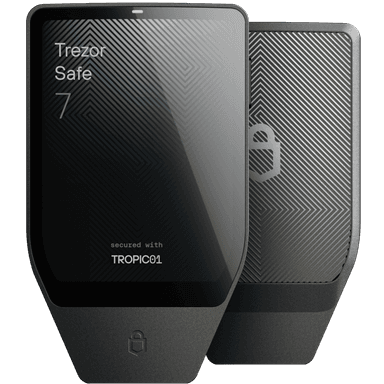
Trezor Safe 7 hardware wallet, one option in our comparison
Ready for hardware?

Compare the trade-offs before the checkout.

See the Trezor Safe 7 and Ledger Nano Gen5 side by side: display, code openness, connection and recovery. Buying a device does not remove transaction or backup risk.

Compare the two models

Your first transfer: keep the test small

Before sending
  1. Verify that the receiving wallet supports both the asset and the exact sending network. Similar names do not mean compatible networks.
  2. Complete the official recovery check while the wallet is new, before meaningful funds arrive. Never erase your only working funded wallet to experiment.
  3. Confirm the receiving address through the wallet's trusted display or official workflow. Check any required memo or destination tag.
  4. Send an amount you can afford to lose, allowing for the fee. Verify receipt on the intended network before deciding whether to send more.

A successful test does not guarantee a later transaction. Recheck the address and action every time. Use the four-part security checklist.

Sources & selection

Selected from author, publisher and official documentation. No hands-on product test or complete-book review is claimed. Fit and limitations are our editorial interpretation, not a safety certification or investment recommendation.

Found an error? Send a correction. Commercial links do not determine editorial conclusions.

Your next step

Privacy settings

Reading, searching and using the research tools do not require analytics.

Essential storageAlways available: your privacy choice and features you request, such as saved research.

Privacy notice · Storage details